AI-generated summary
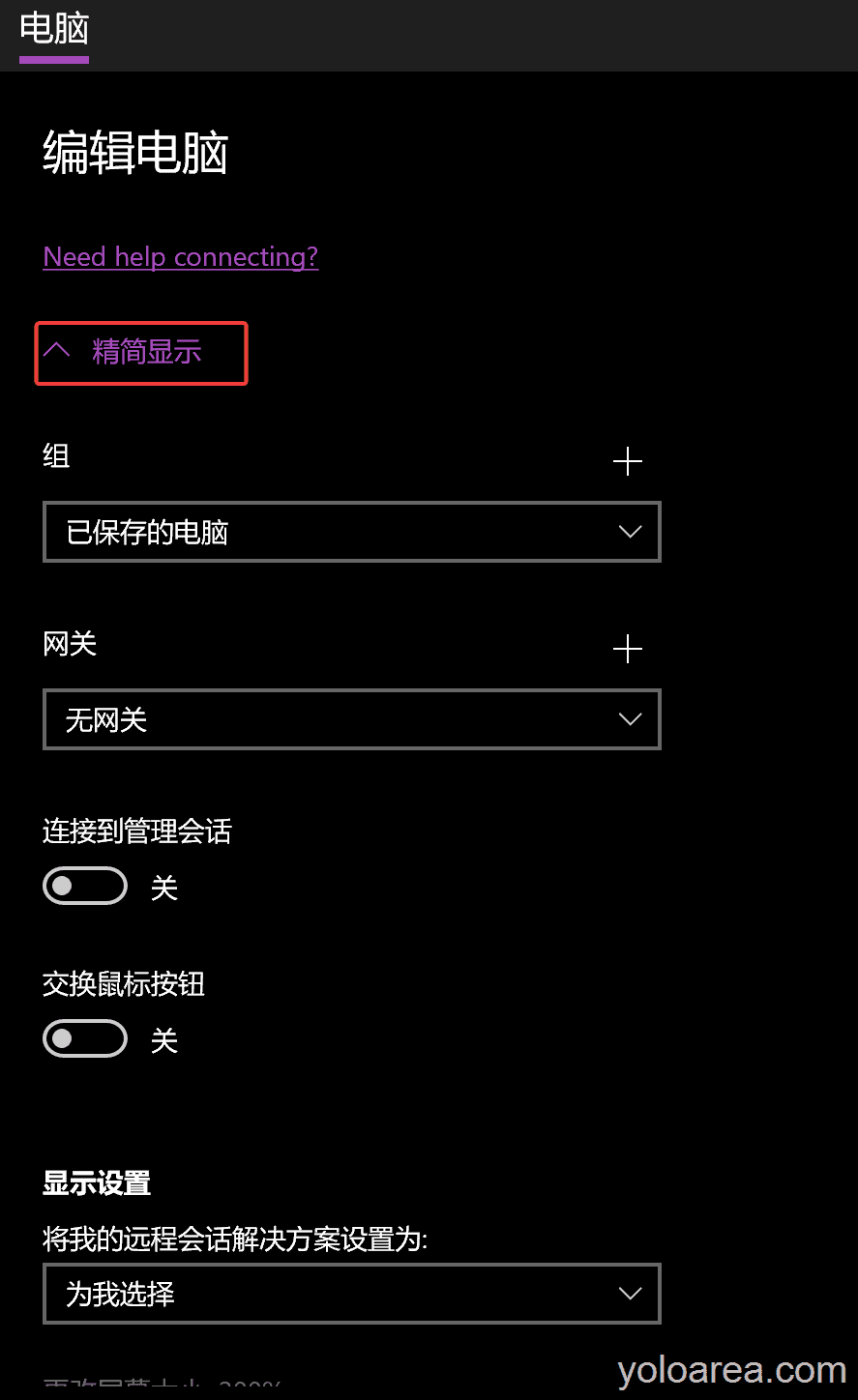
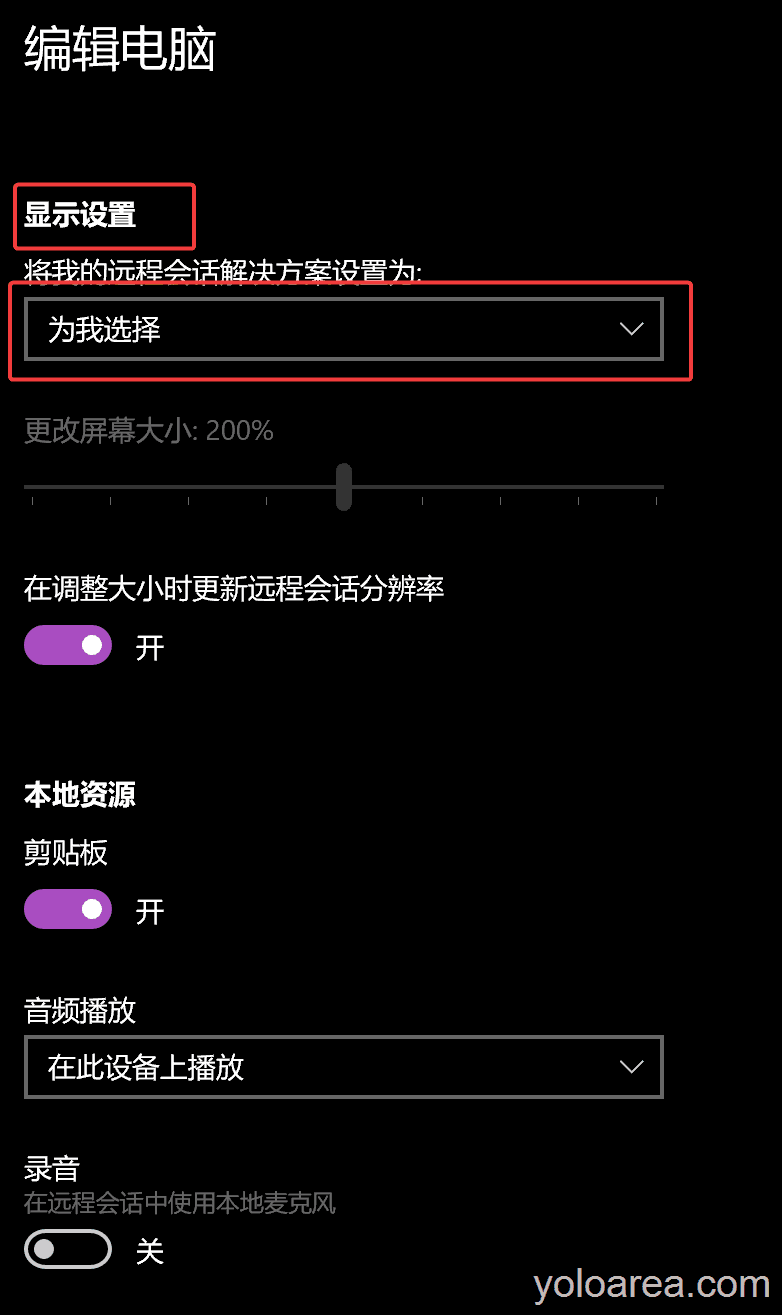
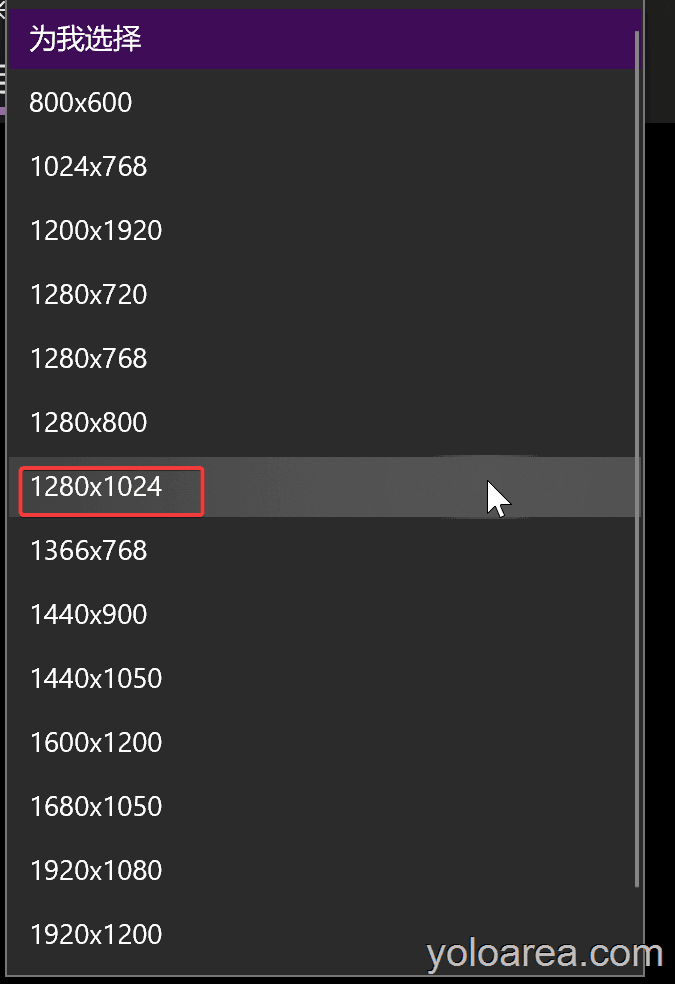
To resolve the issue of a too large resolution or small font and icons on Windows remote desktop, you can use the UWP version of remote desktop available in the app store. Additionally, you can adjust the resolution settings to 1280x1024 in the remote desktop configuration. Reconnecting to the remote desktop should now display the appropriate resolution, and if needed, you can repeat the steps to further adjust the resolution.